



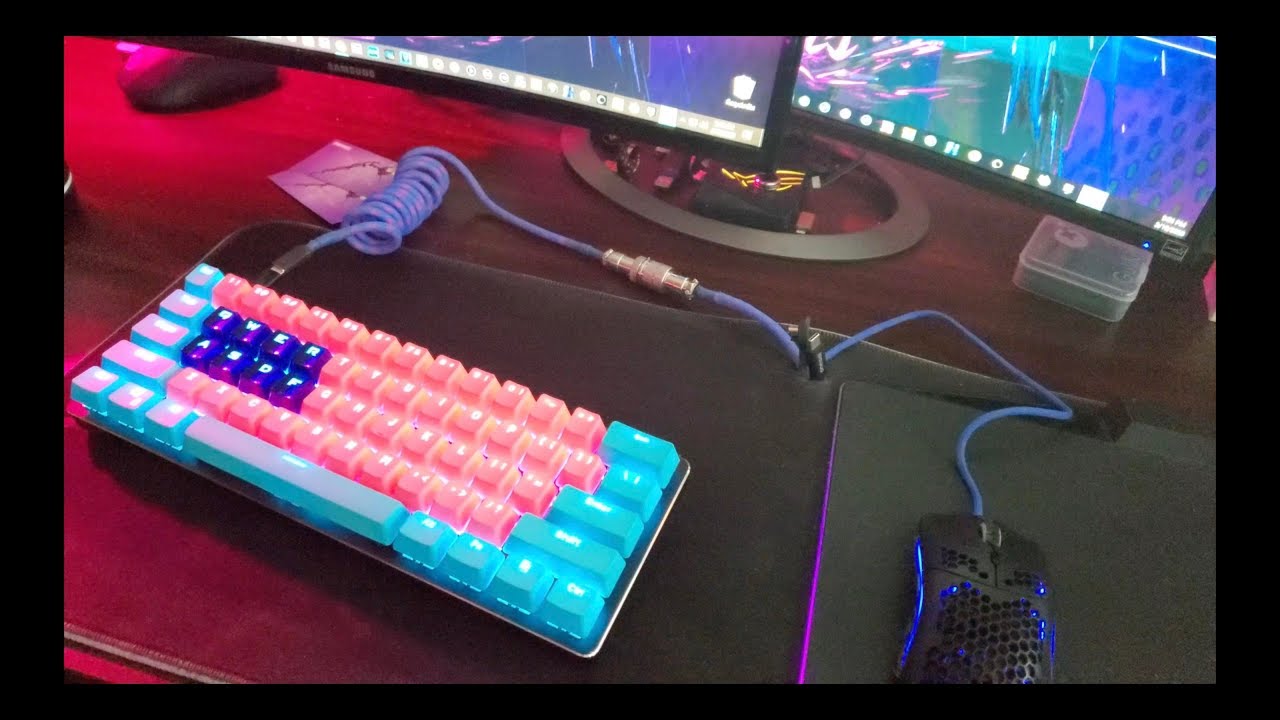
A compact 60 keyboard Maintenance and Cleaning Tips routine is essential for anyone using a 60% keyboard daily, whether for gaming, programming, or general productivity. Because these keyboards are small and densely packed, dirt, dust, and oil buildup can affect performance faster than on larger keyboards. In this guide, we’ll walk through practical and safe ways to keep your keyboard in top condition.
Why Maintenance Matters for a 60% Keyboard
A 60% keyboard is designed to be minimal, removing function rows, arrow keys, and numpads to save desk space. However, this compact design also means:
- Keys are closer together, trapping debris more easily
- Less space for airflow under keycaps
- Higher usage per key, especially common keys like spacebar, Enter, and modifiers
That’s why following Compact 60 Keyboard Maintenance and Cleaning Tips is not just about aesthetics—it directly impacts performance, longevity, and typing comfort.
Daily and Weekly Cleaning Habits
Keeping your keyboard clean doesn’t always require deep cleaning. Small habits go a long way.
1. Quick Surface Wipe
Use a microfiber cloth to wipe the surface daily or every few days. This removes oils from your fingers that build up over time.
2. Dust Removal with Air
Compressed air can help remove crumbs and dust trapped between keys. Hold the keyboard at an angle and spray in short bursts.
3. Avoid Eating Over Your Keyboard
It might sound obvious, but snacks and keyboards don’t mix. Crumbs are one of the most common causes of sticky or unresponsive keys.
Consistent habits like these form the foundation of effective Compact 60 Keyboard Maintenance and Cleaning Tips.
Deep Cleaning Your Compact 60 Keyboard
Every few weeks or months (depending on usage), a deeper clean is necessary.
Step 1: Remove Keycaps
Use a keycap puller to carefully remove all keycaps. Since 60% keyboards are compact, keep track of special keys like Shift, Spacebar, and modifiers.
Step 2: Soak and Clean Keycaps
Place keycaps in warm water with mild dish soap for 20–30 minutes. Then gently scrub and let them dry completely before reinstalling.
Step 3: Clean the Plate and Switch Area
Use a soft brush or compressed air to remove debris from the keyboard base. For stubborn dirt, a slightly damp microfiber cloth can help—but avoid excess moisture.
Step 4: Reassemble Carefully
Make sure every keycap is fully dry before placing them back. Incorrect installation can affect typing feel and key stability.
Following these steps is a core part of Compact 60 Keyboard Maintenance and Cleaning Tips for long-term durability.
Preventing Wear and Tear
Maintenance isn’t just cleaning—it’s also prevention.
Use a Keyboard Cover
A dust cover can protect your keyboard when not in use, especially in dusty environments.
Keep Hands Clean
Oils and sweat from fingers accumulate quickly on compact keyboards due to frequent key usage.
Rotate Usage if Possible
If you use your keyboard for both work and gaming, try to avoid excessive repetitive stress on specific keys by adjusting layouts or macros.
These preventive strategies make Compact 60 Keyboard Maintenance and Cleaning Tips much more effective over time.
Dealing with Common Issues
Even with good care, issues can arise. Here’s how to handle them:
Sticky Keys
Usually caused by debris or spills. Remove the keycap and clean underneath immediately.
Key Chatter or Double Typing
This may be a switch issue. Cleaning can sometimes help, but in mechanical keyboards, switch replacement may be necessary.
Uneven Key Feel
This often happens when stabilizers (especially on spacebar and shift keys) are dirty or dry. Lubrication may be required.
Understanding these fixes is part of advanced Compact 60 Keyboard Maintenance and Cleaning Tips for enthusiasts.
Long-Term Care for Performance and Aesthetics
If you want your keyboard to look and feel new for years, consistency is key. A well-maintained 60% keyboard:
- Types more smoothly
- Lasts longer without switch issues
- Maintains aesthetic appeal
- Improves overall typing experience
By sticking to a routine based on Compact 60 Keyboard Maintenance and Cleaning Tips, you reduce the need for repairs and replacements.
Final Thoughts
A compact keyboard is a powerful tool, but its performance depends heavily on how well you care for it. Regular cleaning, preventive habits, and occasional deep maintenance will keep it functioning at its best.
Whether you’re a gamer, writer, or programmer, following these Compact 60 Keyboard Maintenance and Cleaning Tips ensures your setup stays clean, responsive, and enjoyable to use every day.